On your phone? Use the new Adhkar — with reminders that really arrive on iPhone and Android →

Remembrance of Allah, in your browser, quietly.

A Chrome and Edge extension that reminds you of a short dhikr at the interval you choose, from three kinds only: general dhikr, seeking forgiveness (istighfar) and blessings on the Prophet ﷺ (salawat), with texts from «Hisn al-Muslim». It also counts your tasbih.

Open «Adhkar» — no install One-tap reminder
Works on phone and computer · Free
Chrome Web Store · Coming soonEdge Add-ons · Coming soonFirefox Add-ons · Coming soon
On your phone?

«Adhkar» works right in your browser, no install. One tap turns on the reminder.

Chrome Web Store · Coming soonEdge Add-ons · Coming soonFirefox Add-ons · Coming soon
No musicSilent by defaultWorks offlineNo trackingArabic & EnglishQuiet at night
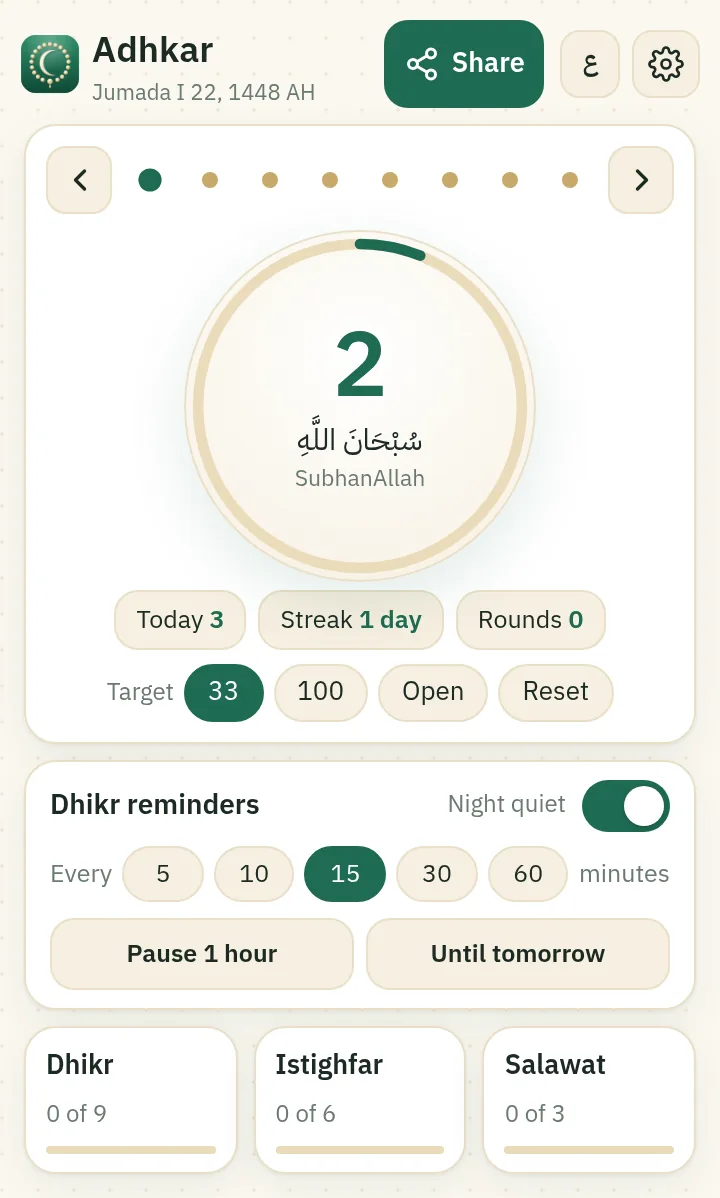
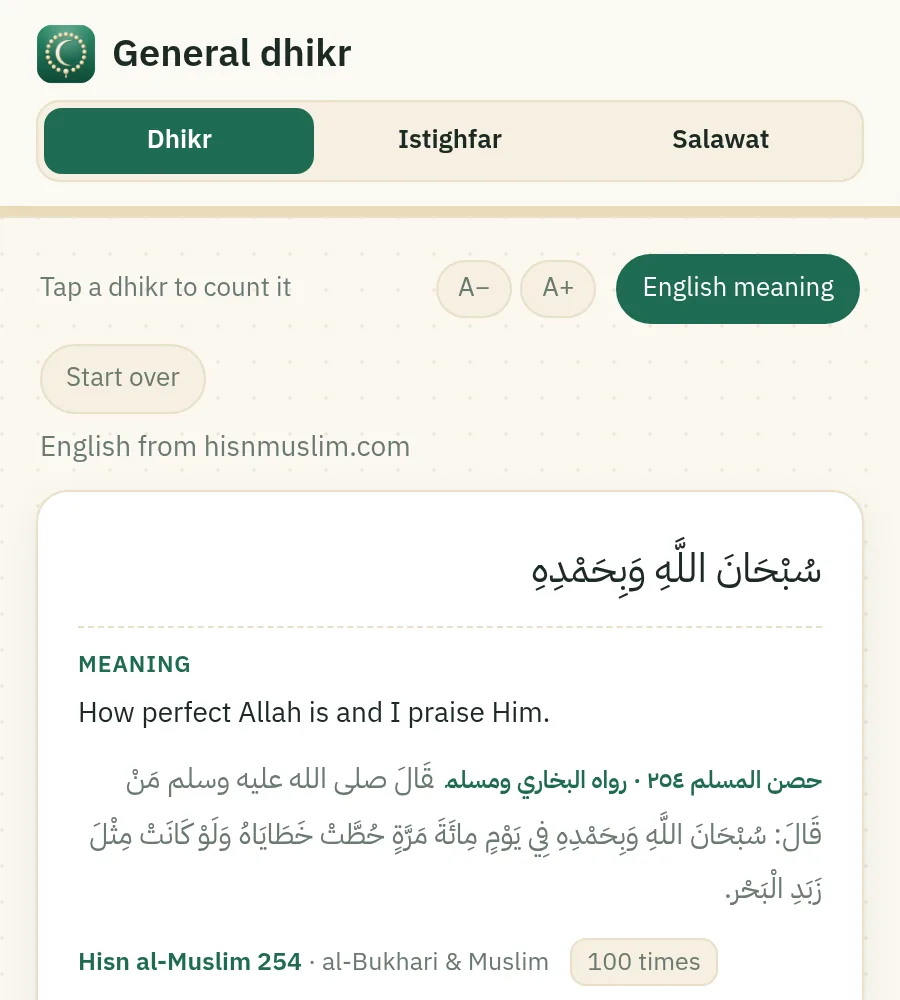
General dhikr pageExtension popup: tasbih counter and reminder

Everything you need, nothing extra

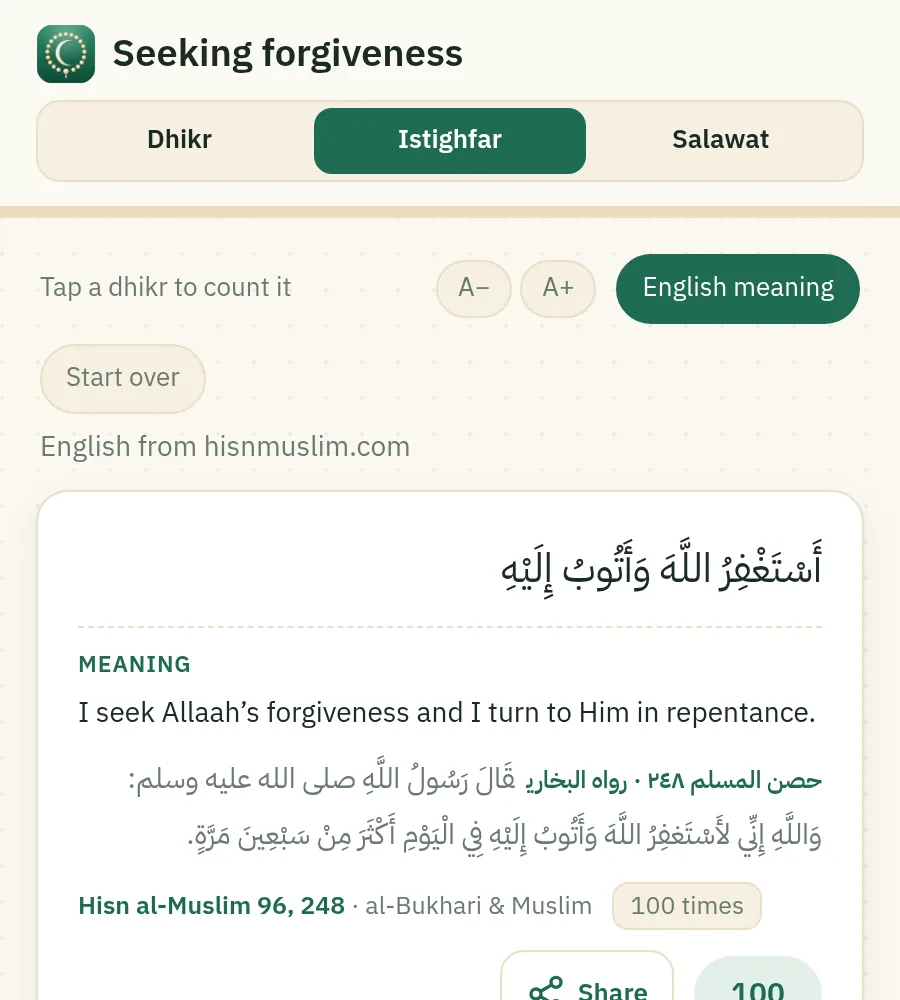
Every text is from «Hisn al-Muslim», with its number in the book and who narrated it. English meaning from hisnmuslim.com.

Dhikr reminder

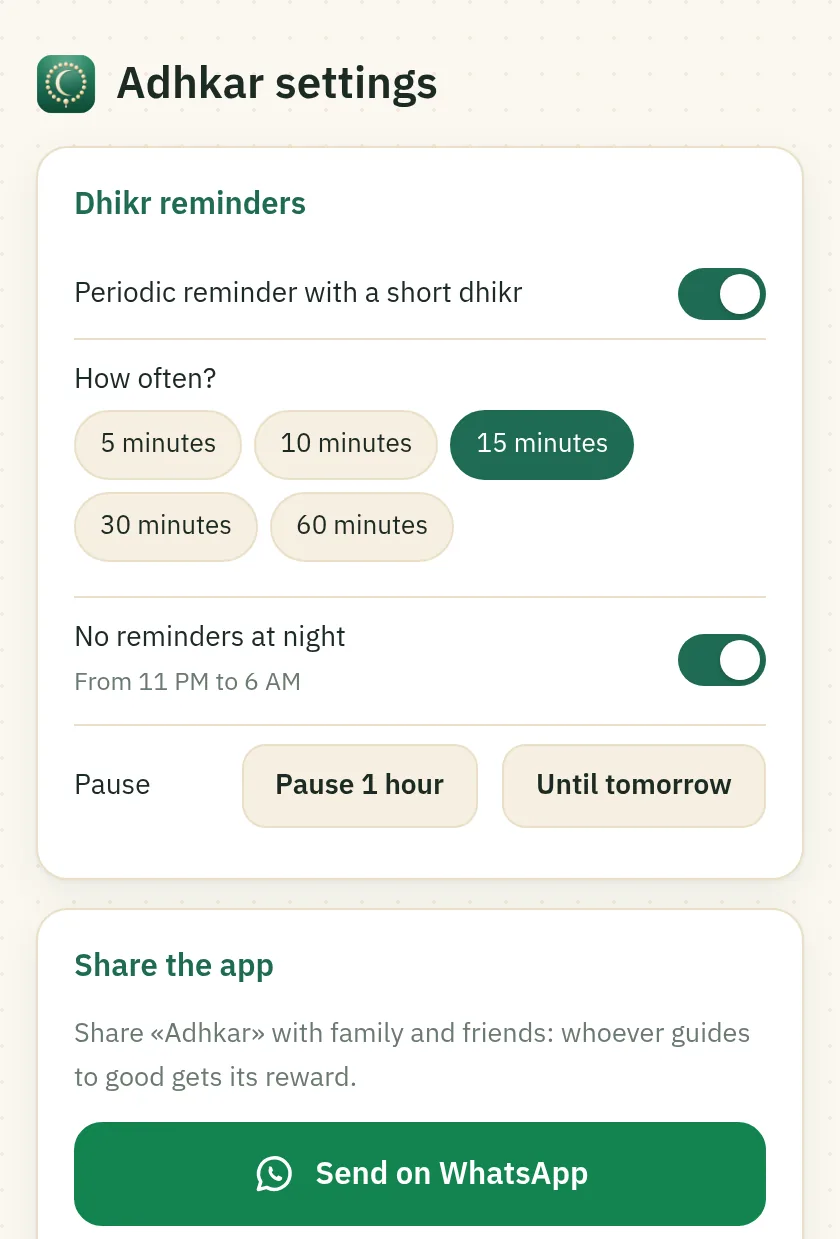
Every 5, 10, 15 or 30 minutes or hourly. Pause for an hour or until tomorrow; quiet at night.

Three kinds only

General dhikr (9), seeking forgiveness (6) and blessings on the Prophet ﷺ (3), each with a counter and its number in «Hisn al-Muslim».

Tasbih

A big tap button, a goal of 33 or 100, today’s total and your day streak.

No music

Alerts are always silent. One optional soft click, no tone, while counting.

Fully private

Never connects to the internet and collects no data. Everything stays in your browser.

Clear in English

The English meaning under every dhikr, plus dark mode and adjustable text size.

Inside the extension

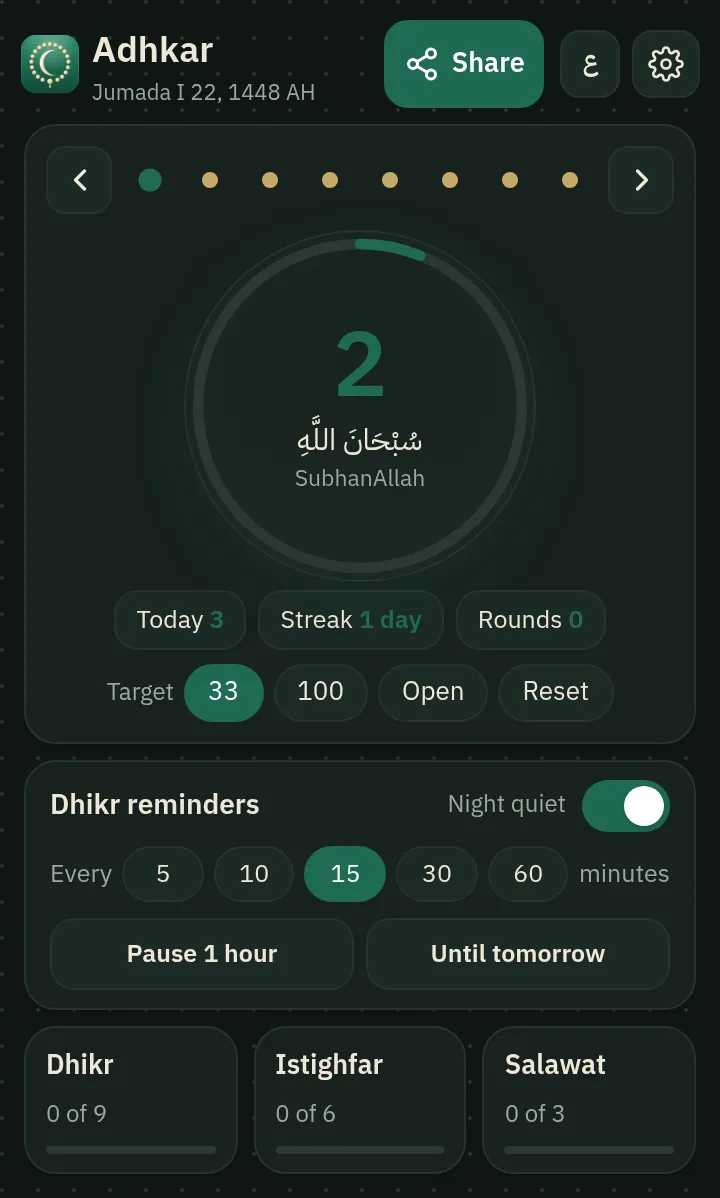
Real screenshots of the extension running.

Tasbih and reminder in dark mode
Tasbih and reminder, dark mode
Seeking forgiveness, with the English meaning
Settings: reminders, night quiet and sharing

What a reminder looks like (illustration)

It appears silently in the corner of the screen with a «Said it» button that adds to today’s total, and a «Pause 1 hour» button.

Dhikr
سُبْحَانَ اللَّهِ وَبِحَمْدِهِ، سُبْحانَ اللَّهِ الْعَظِيمِ
Hisn al-Muslim 256 · al-Bukhari & Muslim

Start in one tap

No download and no settings to learn.

  1. Open «Adhkar»

    Open adhkar.sites.tab.bot on your phone or computer.

  2. Tap «Turn on reminders»

    Allow notifications when your browser asks. Your first reminder arrives straight away to confirm it works.

  3. Store versions

    The extension in the Chrome, Edge and Firefox stores is coming soon.

Advanced: manual install of the extension (Developer mode)

On a computer with Chrome or Edge.

  1. Download and unzip

    Download adhkar-extension.zip (171 KB), open it and choose «Extract All». You get a folder named adhkar-extension.

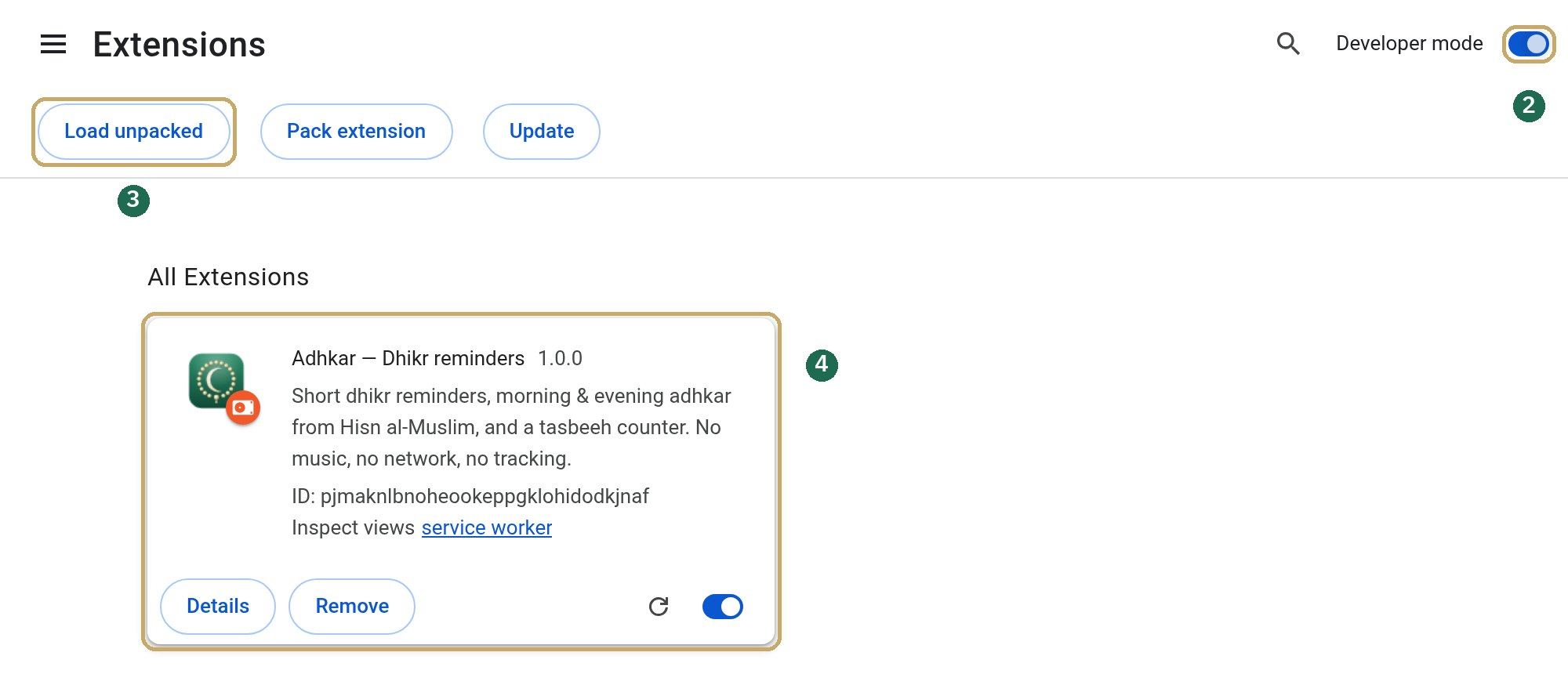
  2. Turn on Developer mode

    Type chrome://extensions in the address bar (in Edge: edge://extensions) and switch on «Developer mode».

  3. Click «Load unpacked»

    Choose the adhkar-extension folder, or drag the folder onto the page.

  4. Pin it

    The «Adhkar» card appears. Click the puzzle icon next to the address bar, then the pin next to «Adhkar».

Chrome’s extensions page with Adhkar loaded. The numbers match steps 2, 3 and 4.

Chrome’s extensions page with Adhkar loaded. The numbers match steps 2, 3 and 4.

Firefox: there is a version for it: adhkar-firefox.zip. Open about:debugging → «This Firefox» → «Load Temporary Add-on» and choose the file. It stays until Firefox is closed.

Your privacy first

The extension asks for three permissions only, and never reads the pages you visit.

Notifications

To show the dhikr reminder.

Alarms

To schedule the next reminder.

Storage

To keep your counter and settings in your browser only.

No internet connection, no ads, no analytics. Even the font is bundled inside the extension.